Concepts
The core ideas behind SalesEQ: meetings, organizations, access, and insights.
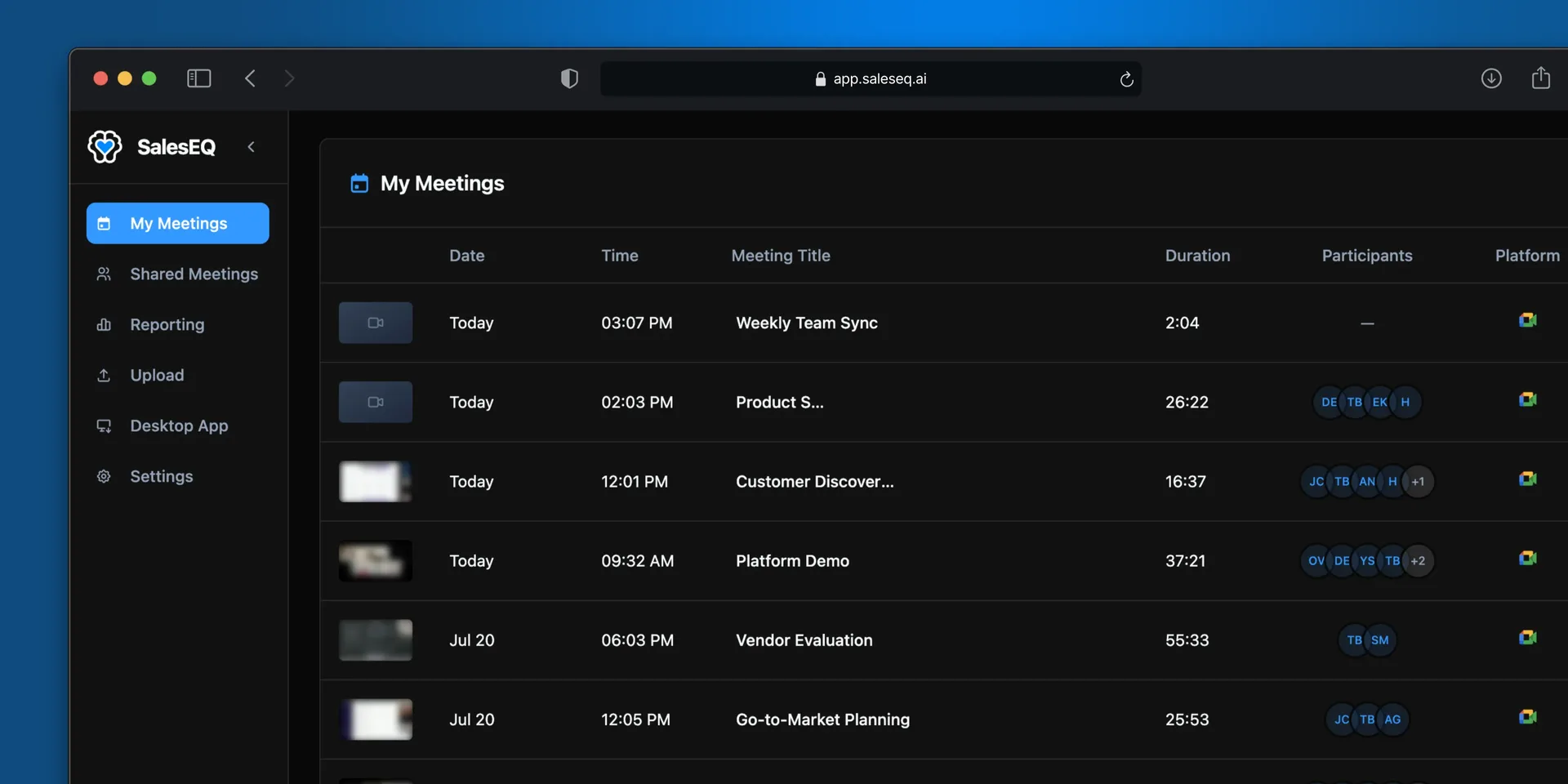
SalesEQ has a small vocabulary. Learn these eleven ideas and the rest of the product explains itself.
Meeting
A meeting is the central object in SalesEQ. It holds the recording, the transcript, the participants, and everything generated on top of them.
Meetings arrive three ways:
- Recorded by the desktop app while you are on a meeting, either because you pressed Record or because you set that platform to auto-record. Recording happens on your own machine, so no bot joins the meeting and nobody sees an extra participant.
- Uploaded by hand as an existing audio or video file
- Imported from another meeting tool, either a backlog of past meetings or each new meeting as it finishes
However a meeting arrives, it becomes the same kind of meeting. Some meetings are audio only, and some are transcript only. Those still work, they show fewer things.
Organization
An organization is your company's account. It owns the members, the groups, the settings, and the meetings.
Every meeting belongs to exactly one organization.
Members and roles
Everyone in an organization is a member of it, and every member holds a role.
The word does double duty, so the casing matters. Lowercase, a member is anyone in the organization. Capitalized, Member is the role held by everyone who is not an Admin.
- Member records, uploads, imports, and shares their own meetings, and sees whatever has been shared with them.
- Admin does all of that, and also manages the organization: members, invites, groups, and organization-wide sharing rules.
People join by invitation, whichever role they get. An invite carries the role the person receives when they accept.
Groups
A group is a named set of people inside your organization, such as Sales, Customer Success, Engineering, or Leadership. Groups exist so you share with a team instead of a list of names, and so access stays correct when people join or leave.
Share a meeting with a group and everyone in it gets access, including people who join the group later.
Access and sharing
Every meeting has exactly one owner. A meeting you record or upload is yours. An imported meeting goes to whoever recorded it in the original tool, when they are a member of your organization. Sharing never changes the owner. The owner or an admin can transfer ownership to another member.
A new meeting follows the organization's default sharing setting. New organizations start at Restricted, which means only the owner can open the meeting until someone shares it. An Auto-share rule can share it the moment it finishes.
Sharing works two ways, and the share dialog separates them.
People and groups get a named grant:
| Share with | What it means |
|---|---|
| A person | One specific member |
| A group | Everyone currently in that group, and anyone added later |
General access covers everyone at once. Set a meeting to organization access and every member can open it, without anyone being named.
Each grant carries a role:
- Viewer watches the recording, reads the transcript, and sees the insights.
- Editor does everything a viewer does, and also edits the meeting and shares it onward. Editor access with an expiration can edit the meeting but cannot share it onward.
Sharing is additive. If you have access through both a group and a direct grant, you keep the higher of the two roles.
Access is not the same as appearing in Meetings
The Meetings page has two scopes. My meetings contains meetings you own. All meetings contains those meetings plus meetings shared directly with you or with a group you belong to.
Meetings available only through an organization default do not appear in All meetings or Search. If you have the link and your role allows access, you can still open the meeting.
Auto-share rules
An Auto-share rule shares meetings the moment they finish, so nobody has to remember to do it.
Every rule points from a source (a person or a group) to a target (a person or a group), and grants viewer or editor.
Rules come in two kinds.
Every rule names whose meetings it watches, who receives them, and the role they get. What differs is when it fires.
An Always rule shares every meeting its source records.
A Prompt rule adds a condition written in plain language. SalesEQ reads each finished meeting and shares it only when the condition holds:
Share this meeting if a customer reports a bug.The prompt decides whether a meeting qualifies. It never names the recipient, because the rule already did.
Members write rules for their own meetings. Admins write rules for anyone's, and can lock them so the people whose meetings are shared cannot edit or remove them.
Auto-share rules covers writing them, and what a prompt can be evaluated against.
Public links
A public link shares a meeting with someone outside your organization, such as a prospect, a customer, or a candidate, without making them a member.
Anyone with the link views the meeting, and nothing checks who they are. Links are managed per meeting, carry an expiry, and can be revoked at any time.
A public link opens a reduced view of the meeting: the recording, the transcript, the speakers, and the summary. Insights and Ask AI stay inside your organization. Sharing a meeting outward does not share what SalesEQ worked out about it.
Participants and speakers
These are two different things, and the difference matters.
- Participants are the people the meeting knows about, from the calendar invite and from the meeting platform.
- Speakers are the distinct voices SalesEQ detects in the audio.
SalesEQ puts names to the speakers on its own, so most transcripts read with real names from the start. Where it cannot work out who was talking, the transcript falls back to numbered speakers such as Speaker 1 and Speaker 2.
Rename a speaker once and every line from that speaker updates.
Insights
Insights are what SalesEQ generates from a meeting once it is processed. That covers the summary, the scoring, and conversation metrics such as talk ratios, monologues, filler words, speech rate, and qualification signals.
Insights are computed per meeting and stay attached to that meeting.
Search
Search runs across your meetings plus meetings shared directly with you or with a group you belong to.
Search matches on meaning as well as on exact wording. Describe an objection in your own words and it finds the moment even when nobody phrased it that way. Type a product name or a competitor's name and it lands where that term came up.
Connected assistants
SalesEQ connects to AI assistants such as Claude and ChatGPT over MCP, so you ask questions about your meetings in the tools you already work in.
A connected assistant uses the same meeting scope as All meetings and Search. Disconnect SalesEQ from the assistant when you no longer want to use it there.
Next
- Record your first meeting puts a real meeting behind these ideas.
- Share a meeting covers access in practice.
- Auto-share rules covers sharing without doing it by hand.