What gets captured
Recording, transcript, participants, and insights.
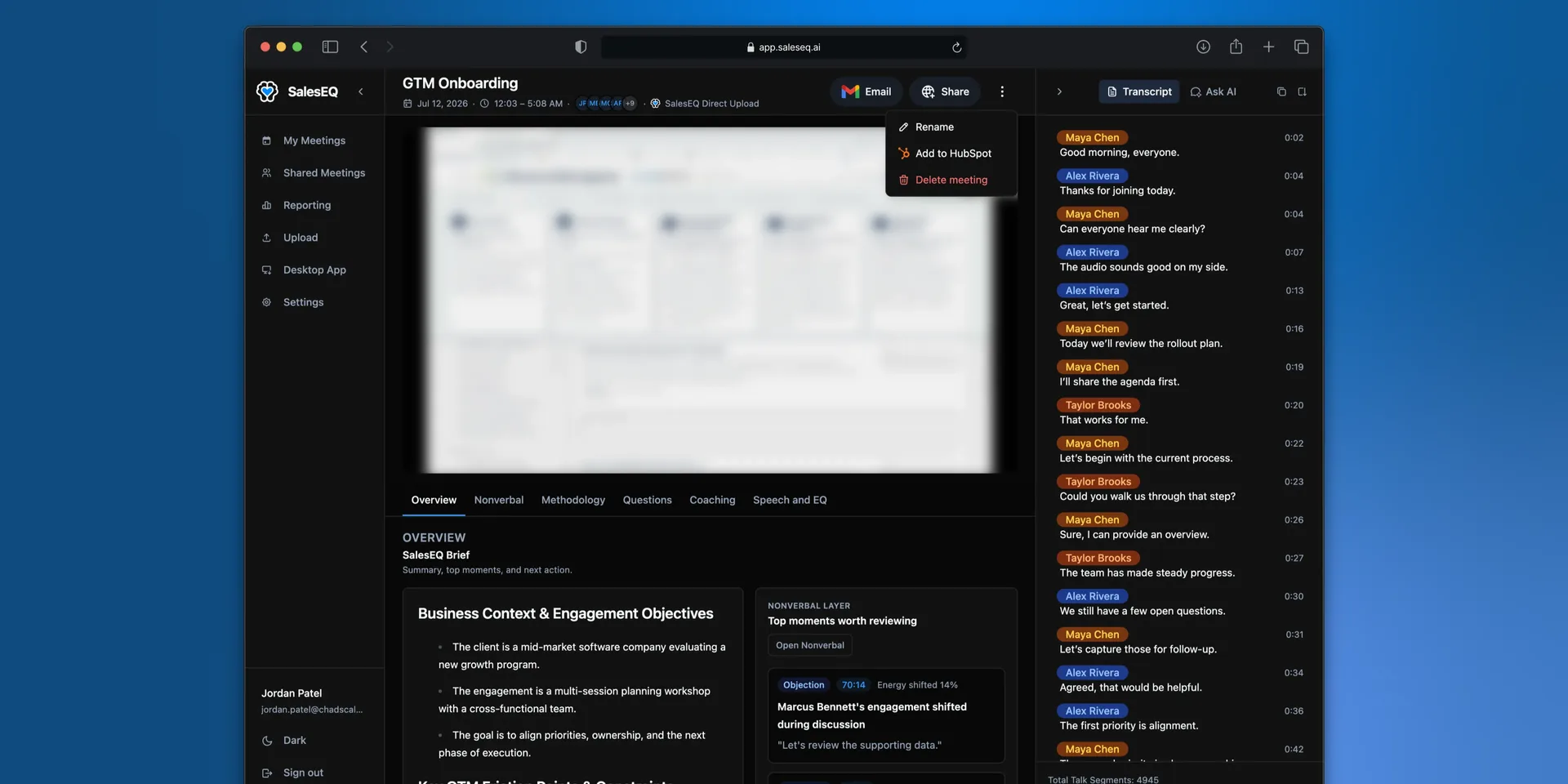
Every meeting produces the same set of parts, whether SalesEQ recorded it, you uploaded it, or you imported it from another tool. This page covers what each part is.
The recording
The audio and video of the meeting, captured on your machine or brought in from the tool that recorded it. This is what plays in the meeting view.
Some meetings are audio only, either because the meeting had no video or because you uploaded an audio file. Those meetings work normally, and the parts that need video are absent.
The transcript
Every word spoken, split by speaker and timestamped against the recording. Selecting a line jumps playback to that moment.
SalesEQ names the speakers on its own. When a name is wrong, rename the speaker once and every line from them updates.
Transcription vocabulary
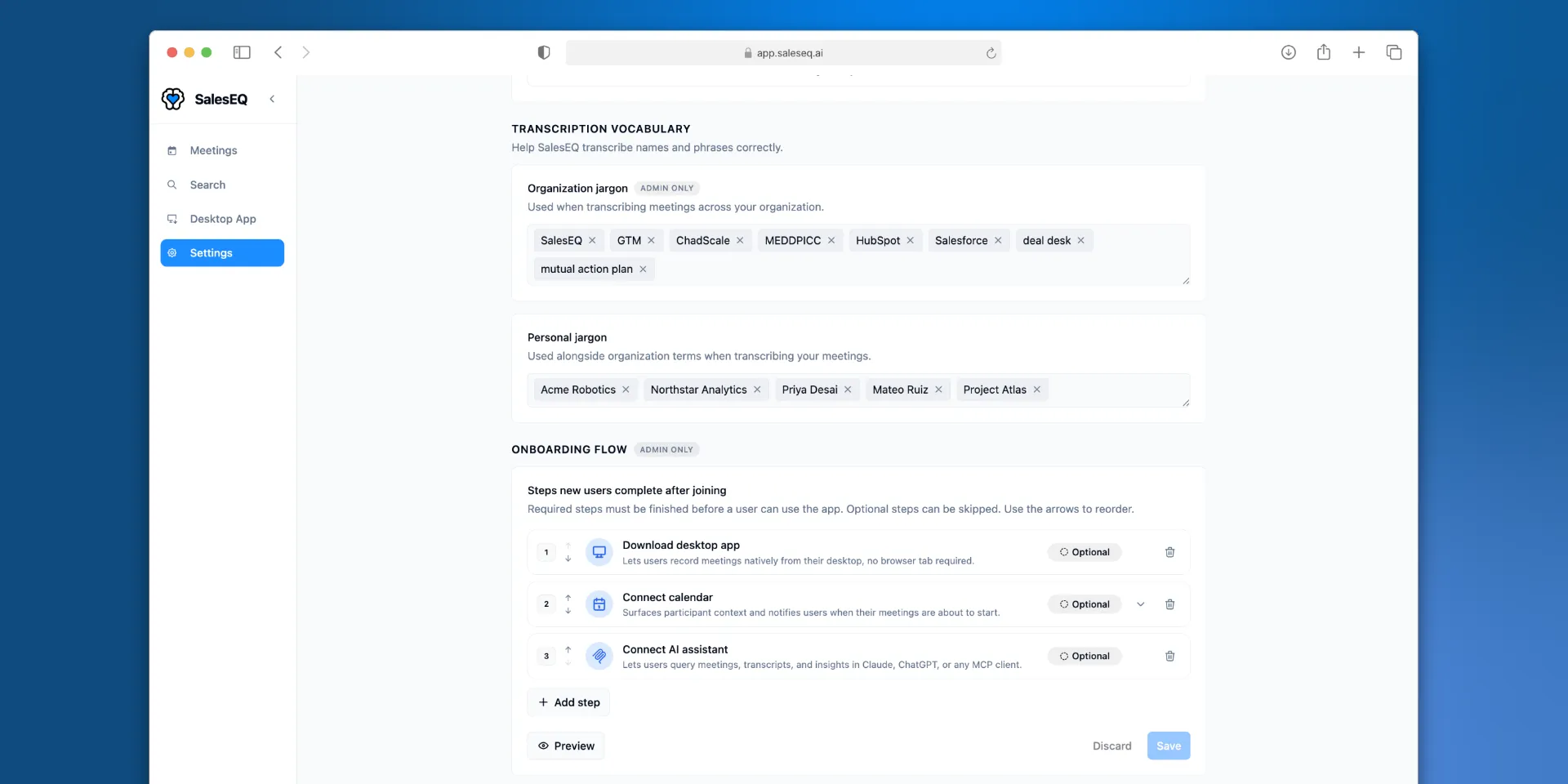
Save names, acronyms, and product names under Settings → Transcription vocabulary in the web app to help SalesEQ recognize them in recordings. Terms guide recognition but do not guarantee a particular spelling every time.
Organization jargon contains shared terms that admins manage for the organization. Personal jargon contains terms you manage for your own meetings. SalesEQ combines the organization list with the meeting owner's personal list, not every attendee's list.
Add terms before your next meeting. Changing vocabulary does not update existing transcripts.
The participants
Two different lists come together here:
- Participants are the people who were in the meeting.
- Detected speakers are the distinct voices in the audio.
SalesEQ lines the two up, which is what puts real names on the transcript. This works without a calendar. What a calendar adds is everyone's email address, and anyone who was invited and did not turn up.
The insights
The summary, the scoring, and the conversation metrics, generated once processing finishes. See Meeting insights for what each one covers.
Insights read the whole recording rather than only the words. Each layer carries something the one before it cannot:
- The words carry what was discussed, what was asked, and what was agreed.
- The audio carries tone, pace, and delivery.
- The video carries body language, and whatever was on screen.
A meeting SalesEQ records has all three. An audio-only meeting has the first two. A file you import as a transcript has only the words, which is why that is the thinnest kind of meeting to work with.
Next
- Viewing a meeting covers reading all of this.
- Meeting insights covers the generated analysis.