Tools
The eight read-only tools the SalesEQ connector exposes to your AI client.
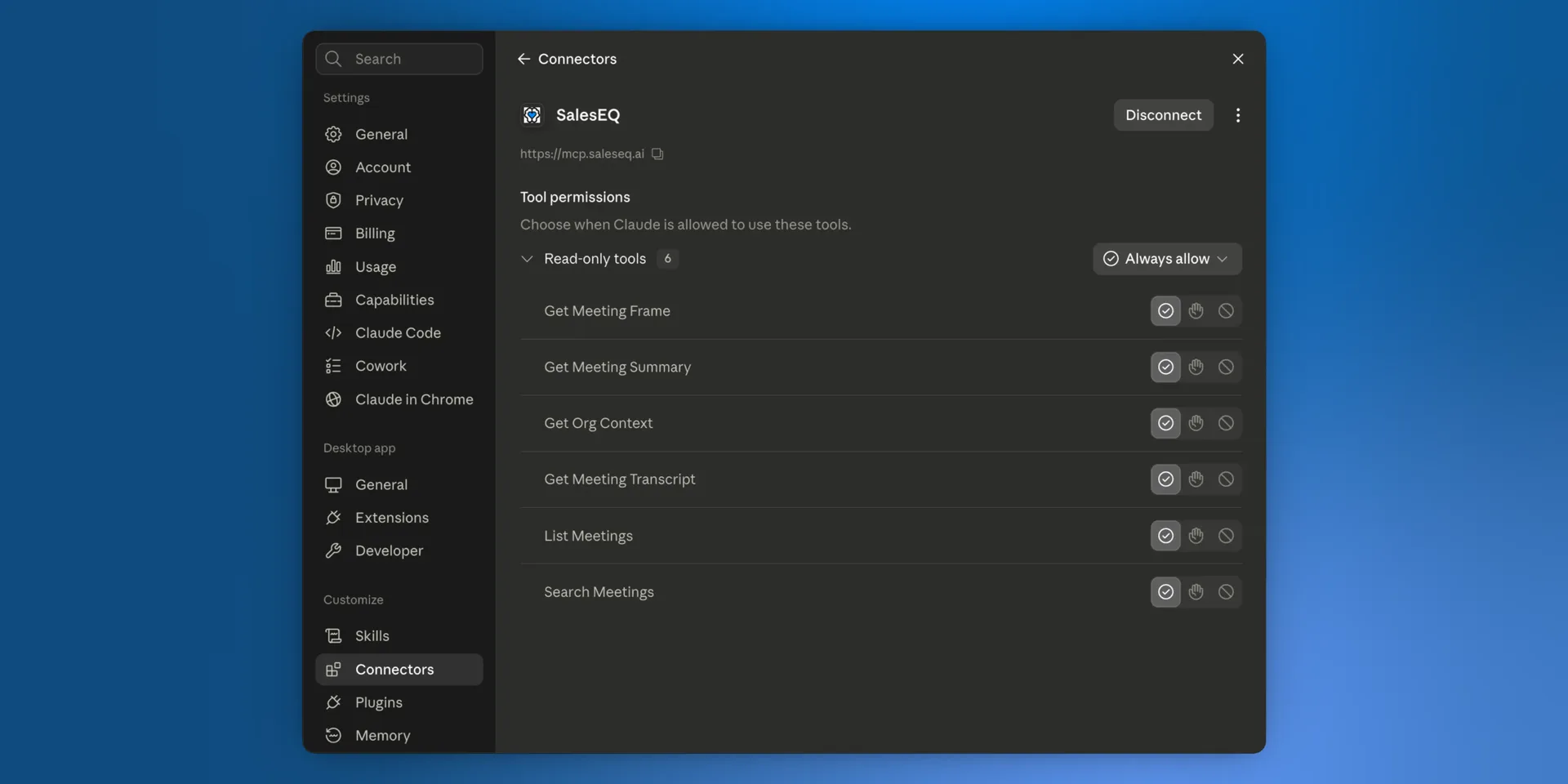
The connector exposes eight tools. All of them are read-only and non-destructive. No tool modifies SalesEQ data, sends notifications, writes to your CRM, or makes external requests on your behalf.
| Tool | What it does |
|---|---|
list_meetings | Lists meetings you own plus meetings shared directly with you or one of your groups. Returns title, participants, duration, platform, source, owner, and recorder, with filter and sort options. |
search_meetings | Searches your meeting transcripts by topic, phrase, or speaker. Returns the most relevant meetings with their best-matching snippets and playback offsets. |
deep_search_meetings | Agentic search for a whole question. It runs many searches across your meetings, reads promising excerpts, and returns the excerpts it judges most relevant, grouped by meeting. Usually takes 5 to 30 seconds. |
get_meeting_summary | Fetches the generated summaries of up to 20 meetings in one call. This is a much cheaper way to answer "what was this meeting about" than reading the full transcript. |
get_meeting_table_of_contents | Fetches a meeting's table of contents: each topic discussed, with a title, a short description, and start and end times. Works for up to 20 meetings in one call. |
get_transcript | Fetches the transcript for a specific meeting, optionally sliced to a time range so long meetings do not blow out context. It can also mark when each word was said. |
get_meeting_frame | Fetches still frames from a meeting's video at up to 8 timestamps in one call. Audio-only and transcript-only meetings have no video frames. |
get_org_context | Looks up your organization and its members, so the AI resolves a teammate's name or email before searching their meetings. |
Your assistant uses search_meetings for a known phrase, name, or topic, because it returns almost instantly. It uses deep_search_meetings for broad, multi-part, or cross-meeting questions, where it would otherwise run several searches itself. Filters are hard limits for deep search too: every search it runs stays inside them. If a deep search cannot finish, your assistant falls back to search_meetings.
Filters
list_meetings, search_meetings, and deep_search_meetings filter by who owns a meeting, who recorded it, and who imported it. They also filter by the platform the conversation happened on, the tool that recorded it, and how it reached SalesEQ. That is how an assistant answers questions such as:
Which of Jason's meetings did we import from Fathom?
Find the Zoom meetings Rory recorded last month where pricing came up.
Ask by name. The assistant uses get_org_context to turn a teammate's name into the right person before filtering.
Access
list_meetings, search_meetings, and deep_search_meetings use the same scope as All meetings in the web app: meetings you own, meetings shared with you directly, and meetings shared with a group you belong to. Meetings available only through an organization default do not appear in these results.
Meeting-specific tools still check whether your account can open the meeting. Read Overview for more about permissions.
Next
- Overview covers permissions, privacy, and how to disconnect.
- Troubleshooting covers what to do when a tool returns nothing.