Ask AI
Ask questions about a meeting and get answers grounded in the meeting itself.
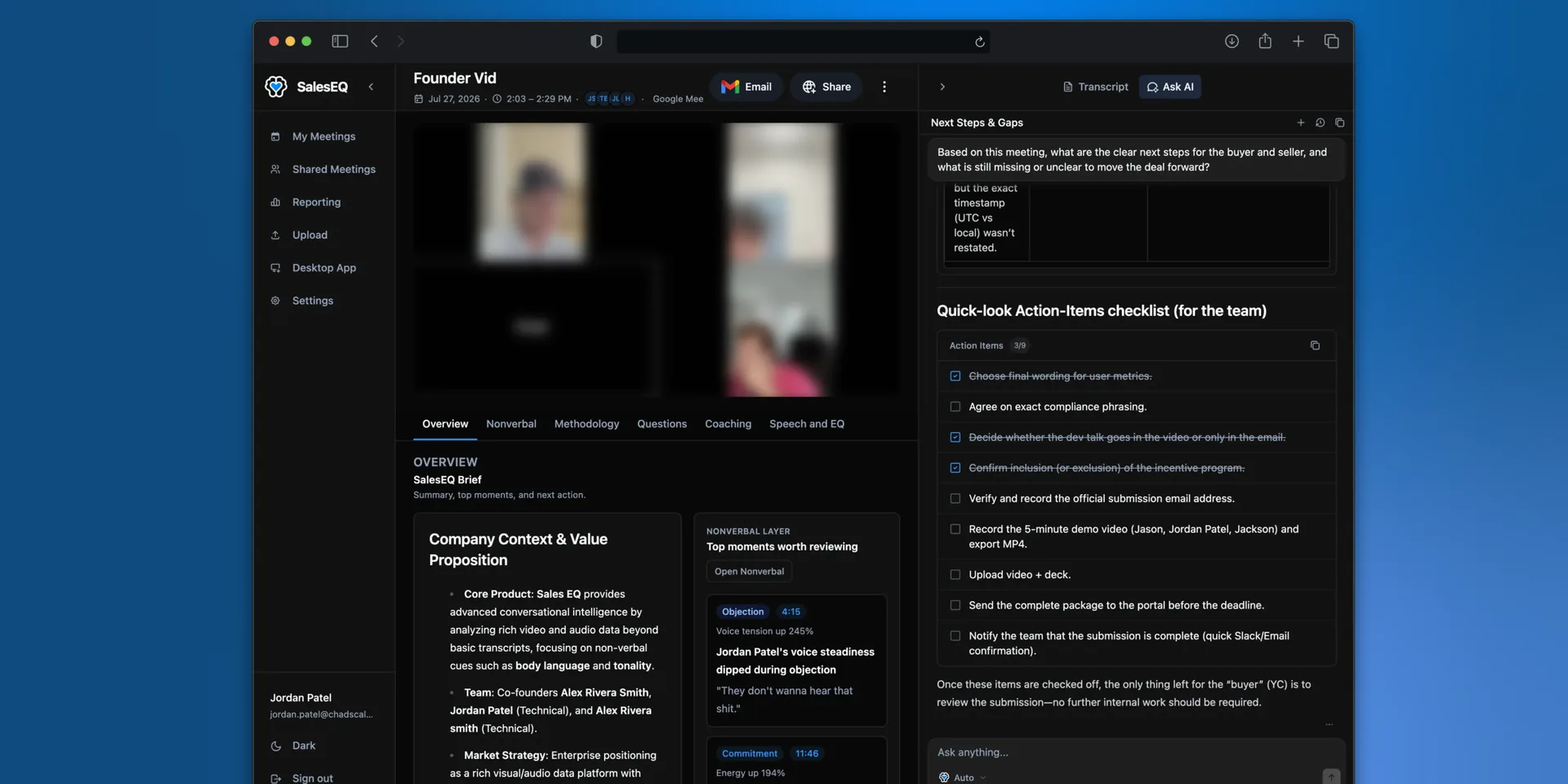
Ask AI answers questions about the meeting you have open, in plain language. Answers are grounded in that meeting's recording, so you can check them.
Ask AI only reads meetings you already have access to. Your chats are yours alone: nobody else in your organization can open them, including admins.
Asking a question
Open a meeting and use Ask AI. Useful questions look like:
What objections came up?
What did we agree the next step is?
What did they say about budget?
Who is involved in the decision?
A new chat also offers a row of starting points under Try with, covering the questions people ask most, such as next steps, objections, and buyer intent. Select one to send it.
Ask follow-up questions in the same conversation. It keeps the context of what you already asked.
Answers that are not just text
Ask AI picks the shape that fits the question, without being asked to.
- Ask for a breakdown and you get a chart.
- Ask what to do next and you get an action item list.
- Ask for a follow-up email and you get a draft with a subject line, ready to copy in one click.
If you have connected Gmail or Outlook, you can put that draft straight into your mailbox instead of copying it. See Email and follow-up drafts.
What Ask AI can see
One meeting at a time, all of it:
- The recording, both the audio and the video.
- The transcript, with timestamps and each speaker named.
- The participants, including anyone who never spoke.
- The meeting title.
- Who you are, and the current date and time, so it can answer questions about timing.
Speaker names come from the transcript, so a wrong name is a wrong answer when you ask about someone by name. Fix the name first, and every line from that speaker updates. See Viewing a meeting.
For a question that spans several meetings, connect an AI assistant instead.
Next
- Viewing a meeting covers playback and the transcript.
- AI assistants covers asking questions that span more than one meeting.
- Search finds a specific moment across your meetings.